

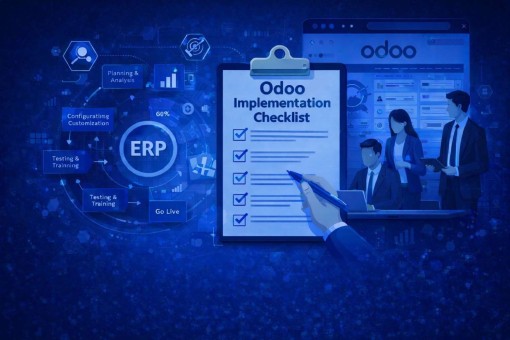
ERP implementation is often described as a software project, but in practice, it’s much closer to an operational reset. The way teams work, how information flows, and how decisions are made all change once an ERP system goes live. Odoo, with its modular and flexible design, gives businesses the tools to bring these moving parts together. The challenge lies in using those tools correctly.
Many Odoo projects struggle not because the platform falls short, but because implementation begins without enough structure. When planning is rushed or requirements are unclear, even a powerful ERP system can feel restrictive instead of enabling. This is why a clear Odoo implementation checklist matters. It creates order, sets expectations, and helps teams move from planning to execution without unnecessary friction.
The checklist below reflects a practical approach to Odoo implementation—one that focuses on stability, usability, and long-term value rather than short-term completion.
Why an Odoo Implementation Checklist Makes a Real Difference
An ERP system touches nearly every part of a business. Sales, finance, inventory, HR, reporting, and customer management all depend on it working as expected. When one element is overlooked, the impact often shows up later as operational confusion rather than immediate technical failure.
Without a structured checklist, businesses commonly experience systems that don’t match real workflows, users who feel lost or resistant, data that doesn’t fully align with reality, and performance issues caused by rushed customization. These problems rarely appear overnight, but they compound over time.
A structured Odoo implementation checklist helps avoid this slow erosion of value. It keeps teams aligned, reduces avoidable risk, and ensures the ERP system supports the business instead of becoming another layer of complexity.
Step 1: Understanding How the Business Actually Operates
The first step of a successful Odoo implementation has little to do with software. It starts with understanding how work gets done day to day.
This stage focuses on identifying core processes across departments, documenting current workflows, and uncovering pain points that slow operations or create manual effort. Automation goals and reporting needs should be clearly defined, but always in the context of real business priorities.
When this discovery phase is handled properly, later stages become far smoother. When it’s rushed or skipped, problems tend to surface during customization, testing, or even after go-live.
Step 2: Selecting an Implementation Partner That Understands ERP Reality
Odoo offers flexibility, but flexibility without guidance can lead to poor decisions. The role of an implementation partner is not just technical delivery, but practical judgment.
A capable partner understands when to configure instead of customize, how to align Odoo features with business logic, and how to keep the system scalable. Experience across industries and a clear post-implementation support approach matter far more than simply knowing the platform.
ERP success is rarely about doing more. It’s about doing the right things consistently.
Step 3: Planning Modules With Growth in Mind
Odoo’s modular structure allows businesses to start small and expand over time. This flexibility is best used when modules are selected based on immediate operational needs rather than future assumptions.
Core modules such as Sales, Accounting, Inventory, CRM, HR, or Manufacturing should be prioritized. The system architecture should allow for future additions without disrupting existing workflows.
A lean setup improves performance, simplifies adoption, and makes future upgrades easier to manage.
Step 4: Identifying Gaps Without Overengineering
No ERP system fits every business process perfectly. Gap analysis helps identify where standard Odoo functionality already meets requirements and where adjustments are genuinely needed.
This stage is about balance. Configuration should be used wherever possible. Customization should only be introduced when it clearly supports business outcomes. Over-customization often creates maintenance challenges that outweigh short-term benefits.
A sustainable Odoo implementation focuses on clarity, not complexity.
Step 5: Preparing Data With Care
ERP systems depend heavily on data accuracy. Even the best configuration cannot compensate for poor data quality.
Before migration, legacy data should be reviewed, cleaned, and validated. Duplicate records, outdated entries, and incorrect balances should be addressed early. Field mapping must be precise, and test migrations should be treated as mandatory, not optional.
Many ERP issues originate from data problems rather than software limitations. Addressing this early prevents long-term operational confusion.
Step 6: Defining Access, Roles, and Security Clearly
ERP systems centralize sensitive information. Without proper access control, mistakes and security risks become unavoidable.
User roles should reflect real responsibilities. Approval workflows should be clearly defined. Sensitive financial or HR data should be restricted appropriately. It reduces the risk of data issues and helps operations stay stable and reliable.Good security design supports efficiency rather than slowing teams down.
Step 7: Testing Based on Real Business Scenarios
Testing is most effective when it reflects how the business actually operates. Clicking through screens is not enough.
Transactions should be tested end-to-end—from sales orders to invoicing, from procurement to inventory updates, from payroll to reporting. User Acceptance Testing ensures the system works not only technically, but practically.
Problems identified during testing are far easier to fix than issues discovered after go-live.
Step 8: Supporting Users Through Training and Change
ERP systems succeed when users feel confident using them. Training should be practical, role-based, and aligned with daily tasks.
Clear documentation and standard operating procedures help reinforce learning. Change enablement reduces resistance and encourages adoption. When teams understand how the system supports their work, ERP becomes an asset rather than an obstacle.
Step 9: Treating Go-Live as a Controlled Transition
Go-live should feel deliberate, not rushed. Final data migration, system backups, performance checks, and support readiness all play a role in reducing disruption.
A structured go-live protects business continuity and builds confidence across teams.
Step 10: Improving the System After Launch
ERP implementation does not end at deployment. Real usage often reveals opportunities for refinement.
Post-go-live support focuses on resolving issues, improving workflows, and planning future enhancements. Odoo performs best when it evolves alongside business needs instead of remaining static.
Common Pitfalls That Undermine Odoo Implementations
Many ERP challenges can be traced back to familiar mistakes: unclear requirements, excessive customization, limited training, or treating ERP as a one-time project rather than an ongoing system.
Avoiding these issues preserves both time and investment.
Why Getting Odoo Implementation Right Matters
Modern ERP systems influence far more than operations. They shape reporting accuracy, decision-making speed, and long-term scalability.
A well-implemented Odoo system improves visibility, strengthens collaboration, and provides a stable foundation for growth. When implementation is handled with care, ERP becomes more than software—it becomes operational infrastructure.
Final Thoughts
Odoo offers the flexibility and depth businesses need, but its value depends on how thoughtfully it is implemented. A structured checklist provides direction without rigidity, helping teams stay aligned at every stage.
Successful Odoo implementation is not about rushing to go-live. It’s about building a system that works reliably today and remains adaptable tomorrow. When approached with clarity and discipline, Odoo becomes a long-term enabler of efficiency, insight, and sustainable growth.